 TableReel
01 / BRING THE SHOW
Start with your raw footage.
Choose a recording from your computer. For the pilot, select up to one hour from a longer file.
The video editor for card-show vendors
You came home with footage. Turn it into deal stories, YouTube episodes and Shorts worth sharing.
For Pokémon, sports cards and the people behind the table.
THE WORKFLOW, ILLUSTRATED
The conversation. The cards. The moment it comes together.
Start with your recording. TableReel helps you find the moments, then gives you the controls to make the edit yours.
A real show. A real edit.
01 / BRING THE SHOW
Choose a recording from your computer. For the pilot, select up to one hour from a longer file.
02 / FIND THE MOMENTS
Scan for likely handshakes and card reveals. Keep the complete conversation, fix the trims and skip the false alarms.
03 / MAKE IT YOURS
Generate your trial episode from the deals you reviewed, then adjust its cuts, captions and sounds. Choose a 20, 25 or 30-minute limit; the finished edit can be shorter.
04 / GET IT OUT THERE
Download an MP4 and upload it to your channel when you’re happy. Your project stays editable in TableReel.
A real editing workspace for the details: framing, captions, sound cues and the pace of the story.
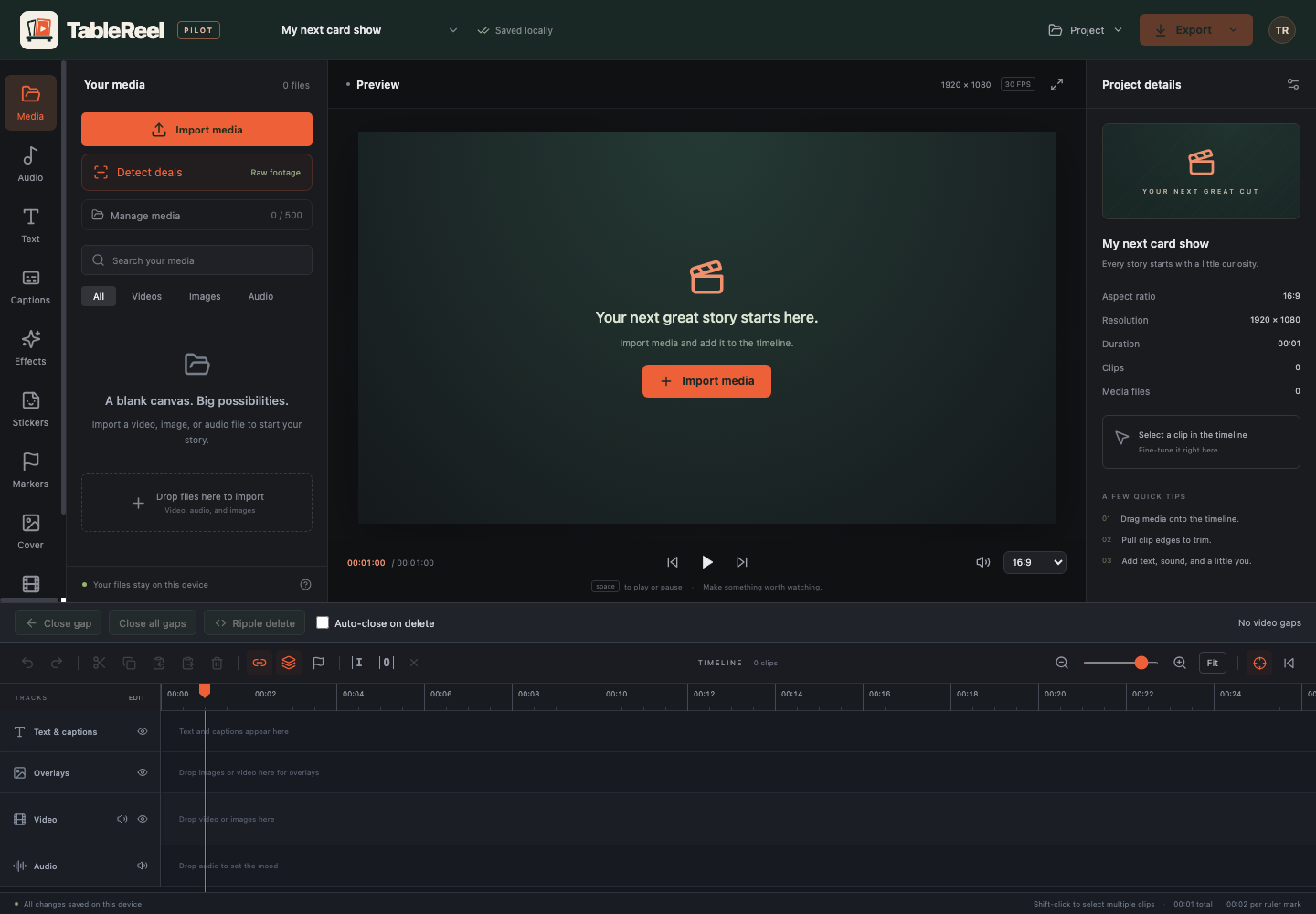
Actual TableReel workspace. Empty example project shown; your recordings and edits stay yours.
A small pilot. Real show footage.
We’re opening a limited, invitation-only pilot for card-show vendors. Approved testers get three scan segments, each up to 60 minutes, and one tightly edited episode from their reviewed footage.
Scan one segment, tell us how it went, then unlock the next. Choose all the reviewed footage you want in your episode before generating it. Pick a 20, 25 or 30-minute limit; the result is one episode, and it may be shorter.
After approval, open your tester portal for the available app download and a one-time app activation code.
Rate the experience, tell us how the deal suggestions looked and flag anything the scan missed.
Each completed scan’s feedback unlocks the next scan segment. Generate one episode, then revise its cuts, captions and timing using the same footage. Additional episodes are planned as a future paid feature; no checkout is available.
Pull up a chair
Tell us what you film and which computer you use. We’ll review requests and invite a small group of vendors.
No payment details. Requesting access does not create a subscription.
Before your next show
No. TableReel suggests likely moments from visual signals such as card reveals and handshakes. A handshake can also be a greeting, and some deals have no handshake. You review the suggestions and can tell us about missed moments.
Yes. For example, select 00:00–60:00 for your first scan. After it completes and you send feedback, scan 60:00–120:00 as your second segment. You have three scan segments in total. Select both reviewed scans before generating your one trial episode; the source file stays on your computer.
The website handles access requests and your tester account. Editing, deal scanning and rendering run in the desktop app on your computer. Internet access is needed for activation, new scan and episode authorization, and feedback; your footage is processed locally.
The current Mac build needs an Apple Silicon Mac with macOS 14 or later. Windows 11 on Intel or AMD is our Windows target; native testing is still pending. No gaming GPU is required. We provisionally recommend 16 GB of RAM while testing smaller laptops. Allow around 15–20 GB of free space for installation and a first project, plus your original recording; longer edits can need more, and the app checks space before processing.
TableReel supports editable YouTube episodes and full-frame portrait Shorts. The pilot includes one generated episode project: for example, choose 25 minutes to get one tightly edited episode up to that length, rather than a series of parts. You can revise that episode using the same footage, keep editing existing projects and export unlocked work. Additional episodes are planned as a future paid feature. Review the cuts, captions and payoff before sharing.
No. Required pilot feedback is separate from optional learning contributions. This version does not upload video or audio for training. Any future selected-example sharing will need a separate, explicit choice.
The Mac app is available to approved early-access testers. Check Windows preview availability above; Windows builds are unsigned and have not yet been tested on Windows. Request access for the platform you use; after approval, your tester portal provides the available download and app activation code.